

One orchestration layer for triggers, logic, actions, and follow-through
Build the workflow once, then let sales, support, and operations react to customer signals without chasing updates manually.
Triggers
Start from CRM changes, call analysis, ticket updates, meetings, or scheduled jobs so the workflow begins where the real work begins.
Logic
Branch on stage, priority, SLA, owner, territory, sentiment, or any structured field that tells the workflow what to do next.
Actions
Update records, assign owners, create tasks, send messages, launch follow-ups, and push context into the next system automatically.
Monitoring
Keep approvals, alerts, retries, and run history in the same workflow so teams trust what happened after it fired.

Build the path from signal to action without stitching tools together
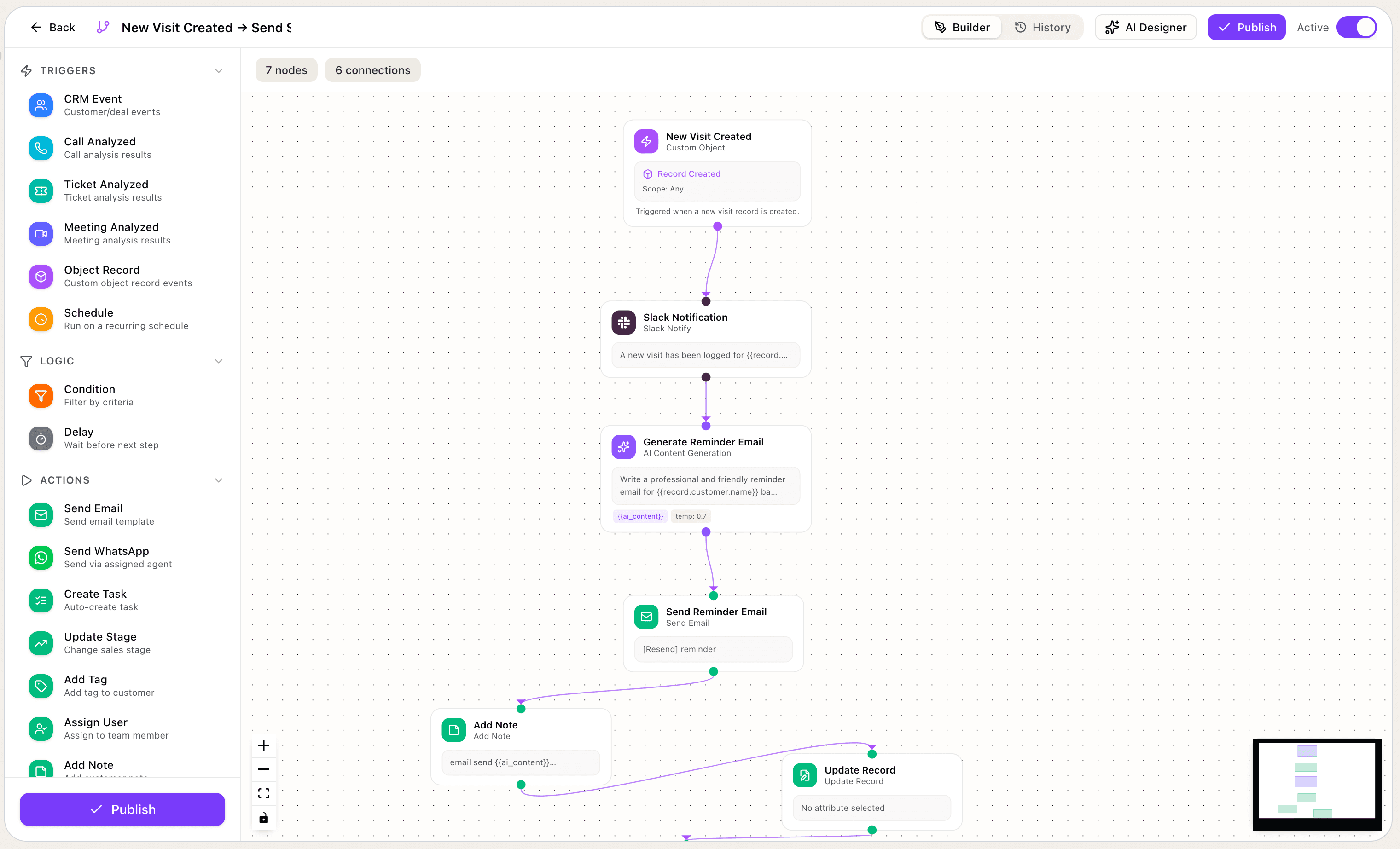
Use one builder to define the event, evaluate the context, route the next step, and keep every handoff visible to the team.
Begin from the signal your team already watches
The workflow does not need another app to notice the event first. Resonaa can start when the customer, rep, or system changes state.
Describe the workflow. Resonaa drafts the automation.
Ask for the trigger, rules, and outputs in plain language. Resonaa can draft the workflow, suggest the conditions, and turn repetitive ops work into a launch-ready flow.
When a high-value demo request comes in with no owner, assign by territory, create a follow-up task, and alert the team channel.
I drafted a workflow with trigger "demo request created", condition "value > 10,000 and owner is empty", assignment by territory, task creation, and a team alert. Review the branch rules before publishing.
Different teams automate different moments. One builder handles all of them.
Sales, support, customer operations, and leadership each need a different automation motion. The same workflow layer can run all of them.
Lead routing and follow-up orchestration
Assign inbound leads, create the right next step, escalate high-value requests, and keep territory handoffs consistent without manual triage.
Escalations and SLA recovery
Watch ticket priority, reopen patterns, and response windows so the workflow can escalate at-risk cases before the queue slips.
Post-call and post-meeting handoffs
Turn call and meeting signals into structured follow-up by updating the record, creating tasks, and launching the next customer workflow automatically.
Recurring jobs and operating cadences
Run weekly digests, stale-record cleanup, renewal sweeps, and reminder flows on schedule so recurring operating work stops living in someone’s checklist.
Questions teams ask before they trust workflow automation
What can trigger a workflow, how branching works, where AI fits in, and how teams stay in control after the flow runs.
Workflows can start from CRM changes, call and meeting analysis, ticket events, custom object updates, and scheduled jobs. The trigger should match the signal your team already uses to operate.
Yes. You can branch on structured fields like stage, priority, owner, territory, plan, or source, and you can also use AI-generated context such as urgency, sentiment, or summary output to route the next action.
Yes. Approval gates and review steps can sit inside the same workflow, so the team can automate the path while keeping a human in the loop for sensitive updates or customer-facing actions.
Yes. Describe the trigger, the rules, and the outcome you want in plain language, and Resonaa can draft the workflow structure for the team to review and publish.
Yes. Scheduled workflows can handle recurring jobs like digests, reminders, and cleanup tasks, and the run history shows what fired, which path was selected, and what actions completed.